Can you have multiple TikTok accounts?
Short answer: yes. TikTok doesn't ban multiple accounts, and plenty of creators, brands, and agencies run more than one. The platform actually expects this, since you can switch between profiles right inside the app without logging out each time.
There's a catch though. TikTok ties accounts to a phone number or email, and each of those can only carry a limited number of profiles. Once you hit that cap, you'll need a fresh number, email, or device fingerprint to keep growing. So, while having several TikTok accounts is allowed, running them all from one phone without any separation can still get flagged.
TikTok setups with several profiles get tricky fast once you go beyond casual use, such as managing accounts for clients or scaling content across niches. At that point, the in-app switching feature isn't enough, and people start looking at other ways to create multiple accounts without tripping TikTok's detection systems.
What extra TikTok profiles are used for
Running more than one TikTok profile isn't a workaround, it's standard practice for anyone serious about the platform. Here's where running more than one profile actually pays off:
Traffic arbitrage and media buying. Testing different creatives, niches, or offers means running several accounts in parallel, since one profile can't carry conflicting content without confusing the algorithm.
Agencies and SMM teams. Anyone who manages multiple TikTok accounts for a living knows that juggling logins in one app gets old fast.
Brand and sub-brand accounts. A company might run a main account plus regional or product-specific ones, each needing its own identity.
Affiliate and dropshipping operations. Testing which products or angles convert best often means spinning up several store-linked accounts to compare performance.
Businesses don't create extra profiles for the sake of it, each account exists to serve a specific function, such as a market, a client, a test, or a backup, and that's exactly why keeping them cleanly separated matters so much once you're operating at this scale.
Common mistakes with separate TikTok profiles
TikTok does not only check your login details. If several TikTok profiles use the same device, browser, IP address, cookies, or behavior pattern, they can start looking connected.
Common mistakes to avoid:
Using one browser for all profiles. Switching between accounts in the same app or browser leaves cookies, cache, and fingerprint traces. For safer multi-account work, each TikTok profile should have its own browser environment.
Running accounts from the same IP. If you manage more than one TikTok account from one home, office, or public Wi-Fi connection, the accounts may look related. Use a separate and stable proxy setup for each profile.
Repeating the same actions. Posting similar videos, using the same captions, following the same users, or pushing identical hashtags across accounts creates an obvious pattern.
Reusing emails or phone numbers. One recovery email or phone number across multiple accounts on TikTok can link them permanently, especially during checks or account recovery.
Changing the setup too often. A single account jumping between different devices, proxies, and fingerprints can look suspicious too.
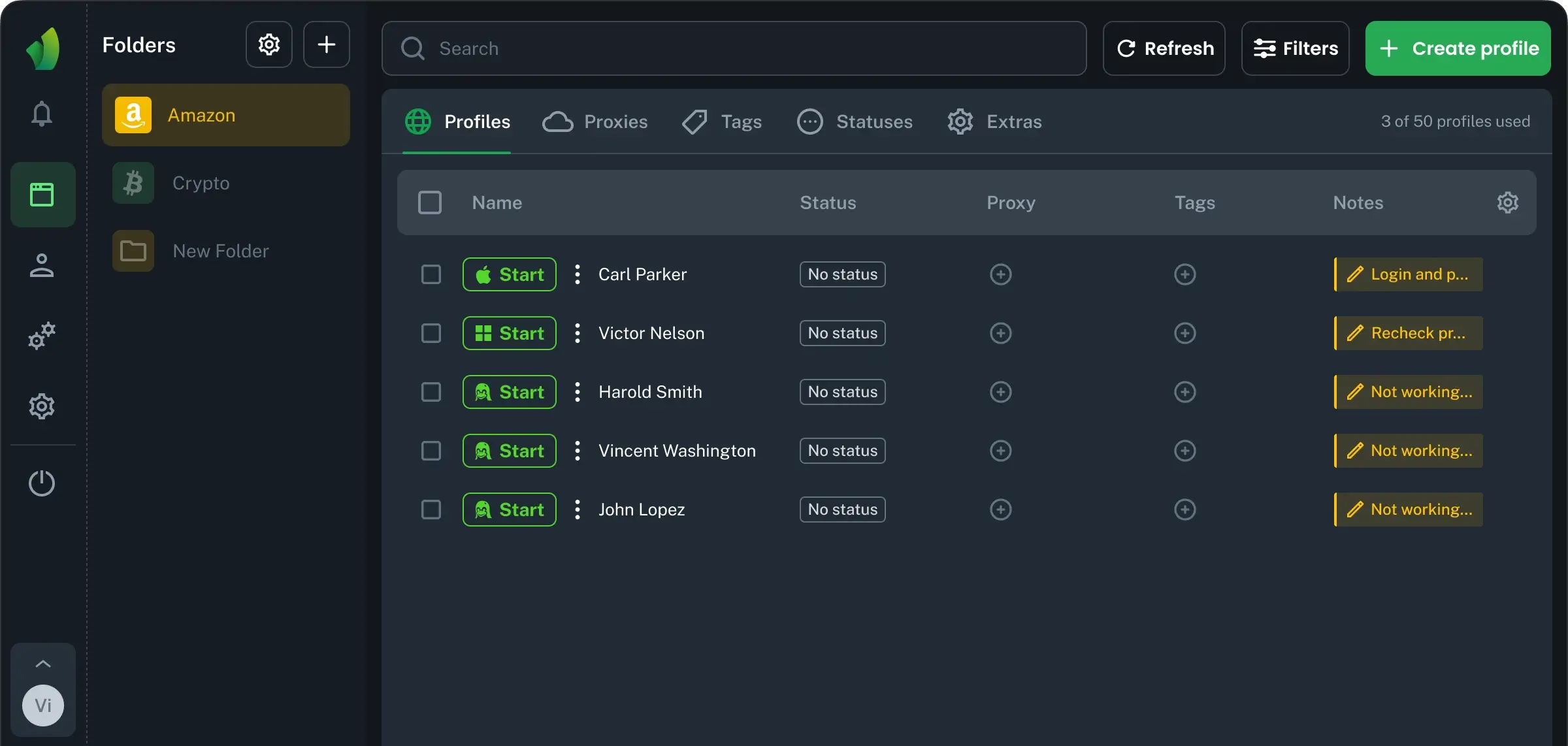
With Vision, you can create isolated browser profiles for separate TikTok accounts. Each profile has its own settings and data, so profiles do not overlap like they would in a regular browser. Vision also supports proxies, including HTTP/HTTPS, SSH, and SOCKS5, which helps keep account environments separated.
What long-term TikTok account management needs
Creating accounts is only the first step, the hard part is keeping every profile stable, separate, and believable over time, especially when you manage more than one account.
Key things to control:
Isolated browser profiles. Each TikTok profile should have Its own cookies, settings, extensions, and browser data. In browser Vision, profiles are isolated from each other, so their data does not overlap.
Real device fingerprints. Synthetic fingerprints can create odd combinations. Vision uses fingerprints from real devices, which helps each account look more natural.
Stable sessions. Keep login state, cookies, and account history inside the same profile. Do not move one TikTok account between random devices, proxies, and browsers.
Clean proxy setup. Use a stable proxy that matches the account’s working region. Vision supports HTTP/HTTPS, SSH, and SOCKS5 proxies for separated account profiles.
One workflow for everything. This matters once you create more than one TikTok account and need a repeatable workflow, not a messy stack of tabs.
Ways to create multiple TikTok accounts
For personal use, a few TikTok profiles need almost no setup. For agencies, arbitrage teams, or client work, each account needs a separate and stable environment.
Switching accounts inside the app is the easiest way to create several TikTok profiles for personal content, side projects, or basic brand testing. The downside is that all accounts still share the same device, app data, and IP. That is fine for low-risk use, but weak for accounts that should look independent.
Using browser profile management software works better for TikTok account setups at scale. With Vision, you can create isolated browser profiles for different accounts and manage fingerprints, proxies, notes, and tags in one place. This is a better fit for client accounts, traffic tests, affiliate campaigns, and teams that need clean separation between profiles.
How to choose the right TikTok account setup
Picking the right setup depends on how many profiles you run and how separate they need to be. Some methods are fast but weak at scale. Others take more effort, but give you better control over each account.
Here’s how the main options compare:
Method | Profile Isolation | Account Risk | Scalability |
|---|
In-app switching | Low. Same device, app data, and IP | Higher once you go beyond a few accounts | Low, limited by TikTok’s account switching rules |
Separate phones or SIMs | Medium. Different devices, but hard to manage | Moderate | Limited by hardware, SIMs, and budget |
Vision browser | High. Separate fingerprints, cookies, proxies, and browser data | Lower when profiles are configured properly | High, easier to add and organize more accounts |
In-app switching is enough for casual use, where two or three profiles under one device are not a serious risk. Separate phones improve isolation, but they create hardware costs, manual work, and operational mess as the setup grows.
Vision browser gives teams a more controlled way to run TikTok accounts at scale. Each account can work inside a separate browser profile with its own digital identity. This helps agencies, affiliate teams, and media buyers reduce overlap between accounts, keep workflows consistent, and manage growth without turning account operations into a hardware problem.
Managing TikTok accounts as a team
When a team manages a lot of accounts, control matters as much as isolation. You need to know who has access, which profiles they can work with, and what actions they are allowed to perform.
In Vision browser, team work is built around users, permissions, folders, and profiles:
Invite teammates to one workspace. Instead of sharing passwords in chats or spreadsheets, you invite colleagues to the team and give them access to the profiles they need.
Set permissions by role. Vision lets you separate team management rights from folder and profile rights.
Organize accounts in folders. Folders help separate profiles by client, campaign, GEO, traffic source, or account type. Each folder in Vision has its own profiles, proxies, bookmarks, extensions, and settings, so the workspace stays clean.
Keep profiles inside the system. If someone changes tasks or leaves the team, admins can update access instead of rebuilding the setup or searching for lost login data.
This makes team-based TikTok account management more predictable: fewer shared credentials, clearer responsibility, and better visibility over who can access each profile.
Scale TikTok accounts without losing control
Running TikTok profiles at scale is not just about creating more accounts. The real challenge is keeping each account separated, stable, and easy to control over time.
Vision browser is built for this workflow. Each TikTok account can run in an isolated browser profile with its own digital identity, while proxies, settings, and account groups stay organized in one place. Vision also uses fingerprints from real devices, which helps reduce technical overlap between profiles.
For businesses, creators, and media buyers who need to manage multiple TikTok accounts, this is a more scalable setup than manual switching or separate devices. As TikTok’s detection systems become more sensitive, Vision browser gives you a cleaner way to manage accounts at scale, with separated environments, stable workflows, and less operational chaos.