How many Shopify stores can you have
Shopify does not limit the number of stores you can create, but how you manage multiple Shopify stores depends on your plan. On the Basic, Shopify, and Advanced plans, each subscription covers one store. If you want to open another store, you need a new Shopify plan for it.
You can use the same email address to access more than one Shopify store. However, each store remains independent. It has its own admin panel, billing, apps, theme, domains, products, payment settings, analytics, and tracking setup. This is useful when you run different brands, regions, product lines, or ad funnels, but it also means more setup and more daily management.
Shopify Plus can support up to 10 stores and is better suited to large brands that need to run Shopify across several stores within one organization. It allows centralized user management and is often used for different countries, storefronts, or product lines. But it does not turn all stores into one shared dashboard. Each store still needs its own setup, apps, theme, domains, payments, analytics, quality control, and ongoing maintenance.
When multiple Shopify accounts make sense
Multi-account management makes sense when stores need to stay operationally separate. This usually applies to different brands, client projects, regions, product lines, or ad funnels. Each store may need its own payment settings, apps, domains, analytics, team access, and risk controls.
Selling in different countries. Separate Shopify stores help when each market needs its own language, currency, domain, shipping rules, payment methods, and local messaging. Stores for different countries can sell the same product category, while design, pricing, offers, and customer expectations may be completely different.
Testing campaigns without hurting the main brand. Multiple Shopify stores are useful for launching new products, seasonal collections, outlet offers, or heavy-discount campaigns. For example, a premium fashion brand may not want to offer deep discounts on its main site. A separate outlet store lets the team clear old stock without making the core brand look cheaper.
Targeting different niches or customer groups. When one store tries to speak to everyone, conversion usually drops. Separate stores let you build different catalogs, landing pages, pricing, and creatives for each audience. One store can focus on high-end buyers, while another serves budget-conscious customers or a specific niche.
The real work behind multiple Shopify stores
Managing multiple Shopify stores is usually harder than creating them. The main challenge is that each store works as a separate environment, so routine tasks multiply quickly. What looks simple with one store can become confusing when the same process has to be repeated across several admin panels.
The most common issues are:
Orders and returns. Each store has its own orders, fulfillment rules, customer messages, and return flows.
Inventory sync. If the same products are sold in several stores, stock levels need to stay up to date everywhere. Without proper sync, you risk overselling or showing incorrect availability.
Product updates. New products, collections, descriptions, prices, and seasonal offers often have to be added to each store manually. This creates extra work and increases the chance of inconsistent data.
Integrations. ERP, POS, CRM, email marketing, analytics, and tracking tools may need to be connected separately for each store. The more stores you run, the more time you spend on setup, testing, and maintenance.
Best practices for managing multiple Shopify stores
- 1.Centralize product data management with a PIM system. Implement a Product Information Management system to keep product descriptions, specifications, images, and attributes consistent, accurate, and up to date across all storefronts.
- 2.Ensure real-time inventory sync. Set up automatic stock updates to avoid selling more than you have and to reduce fulfillment issues.
- 3.Consolidate order and fulfillment management. Centralize the processing of orders, returns, and customer requests so your team can oversee every store more easily.
- 4.Optimize each store for its market. Adapt content, offers, design, pricing, and messaging to the specific country, audience, or product niche.
- 5.Monitor each store’s performance separately. Track metrics such as conversion rate, average order value, bounce rate, customer behavior, and niche-specific performance to refine marketing strategies and increase each store’s profitability.
How to manage multiple Shopify stores safely
Managing several Shopify stores can quickly get confusing, even when one person runs the whole operation. You switch between admin panels, check orders, update products, launch campaigns, and try not to mix up accounts. The more stores you add, the easier it is to make a small operational mistake.
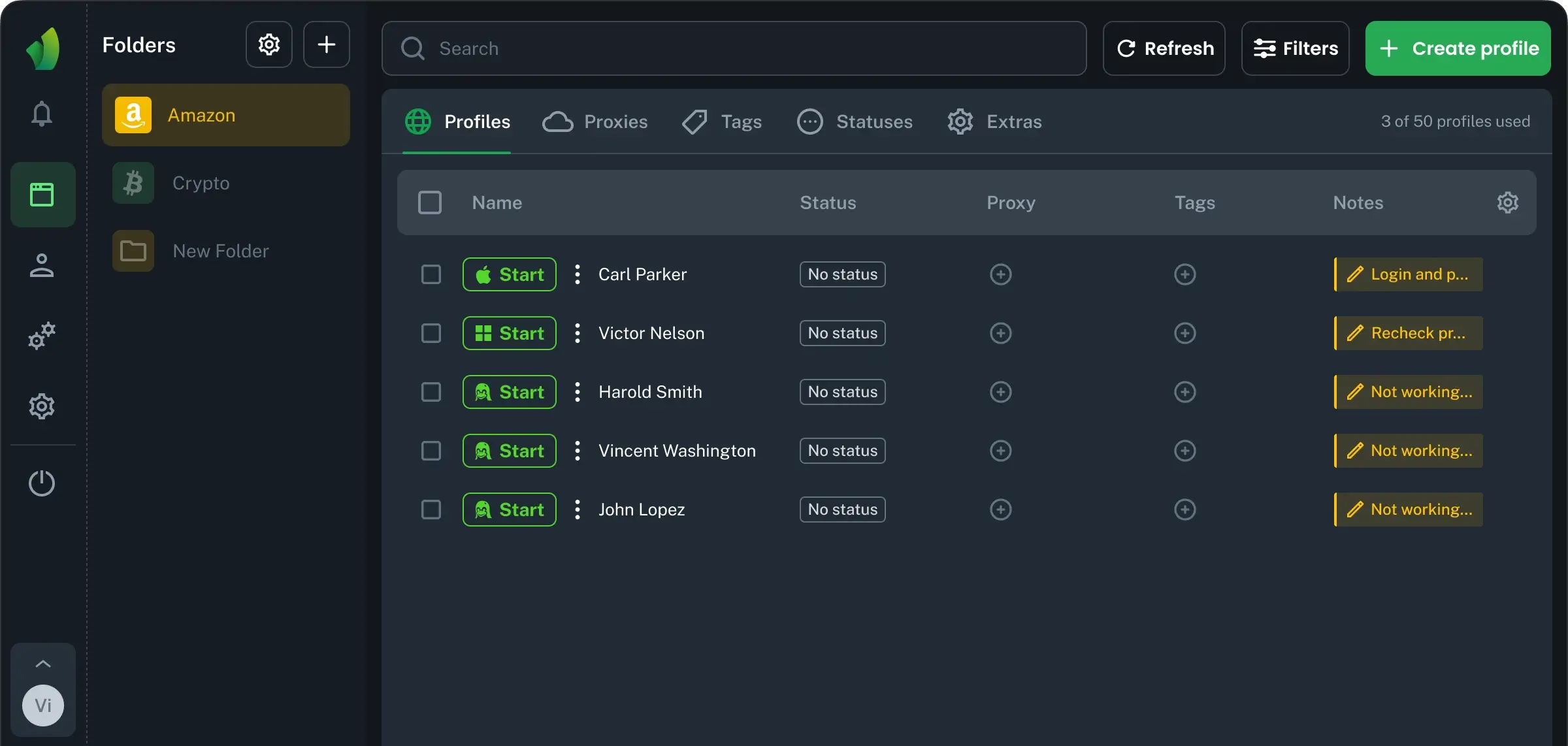
That is why each store should have its own workflow, access rules, browser environment, and tracking process. Managing these separate logins is easier with antidetect browsers, which create isolated profiles for each store.
For this setup, the Vision browser can be a practical tool. It lets you create dedicated browser profiles for each Shopify admin panel, assign proxies, organize stores into folders, and keep sessions separate without mixing accounts. Vision also supports real-device fingerprints, SOCKS5 proxy routing, cookie import/export, and API-based automation for profiles, proxies, and repetitive workflows.